UpdateThis week has been a blur of holiday food and family activities, but somewhere in all the festivities I managed to steal away and continue working on this level of mine. This week I wrote some blueprints, added terrain, ceilings, proxy rail roads, and played with lighting and post processing volumes. The world is 100% made... TechnicallyWhen I last left off, my white-box was simply made of walls and floors. I've since wrapped up proxy placements of clutter, quest objects, and have even replaced the BSP floors with terrain. I'm slowly in the process of populating the environment with final assets. 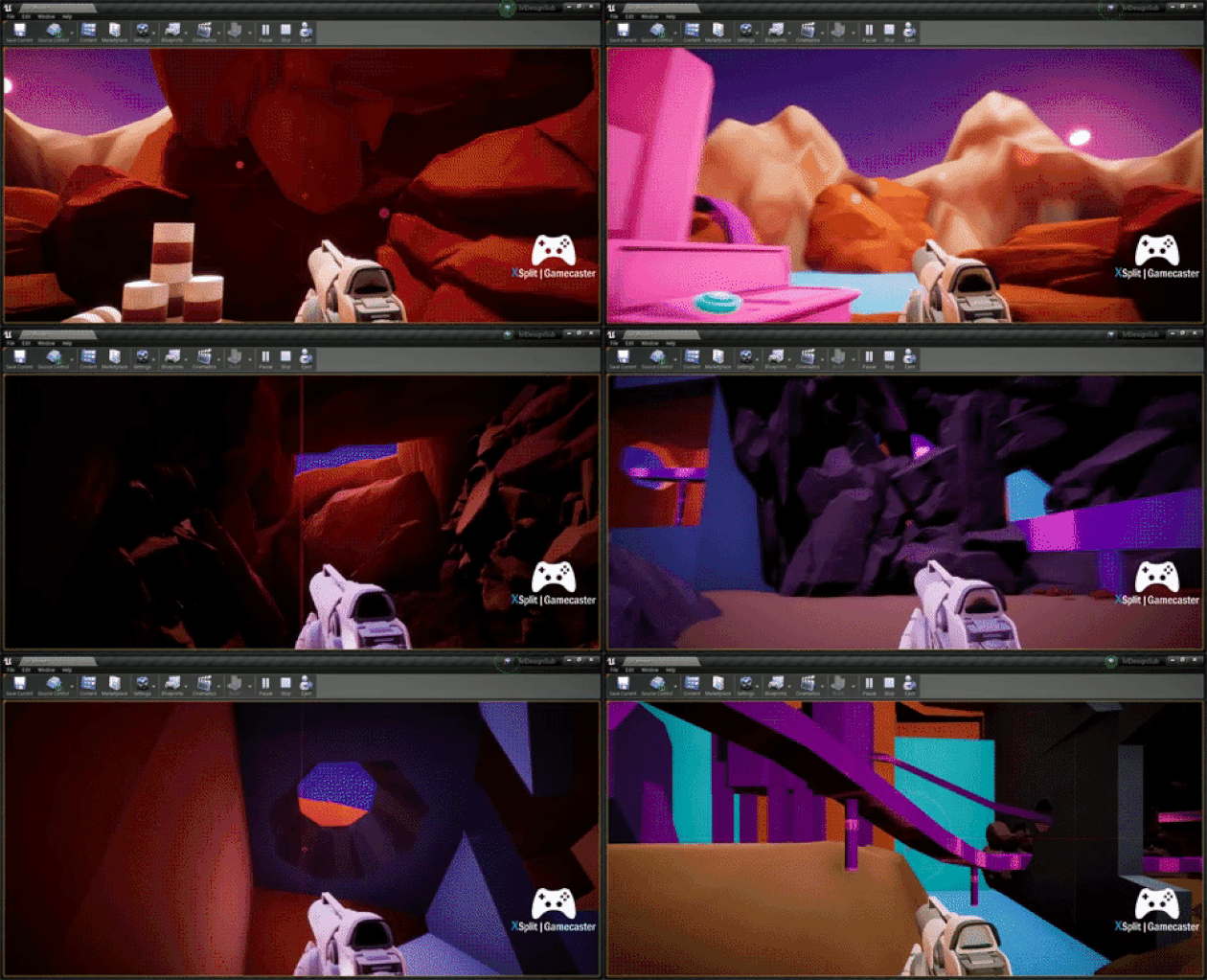 Aesthetic progressBefore I began populating some the cave, I first needed to locate an asset pack of rocks with a mesh that was of a medium complexity. I also preference packs that had a decent set of normal maps for assets.
ProgressHere are some progress shots in my level utilizing the processes described above. Level ComparisonAll in all, I'm glad that I'm able to objectively define the strategies and processes I've tested and learned about thus far. I am eager to keep refining the process as I added new layers of detail to the environment. 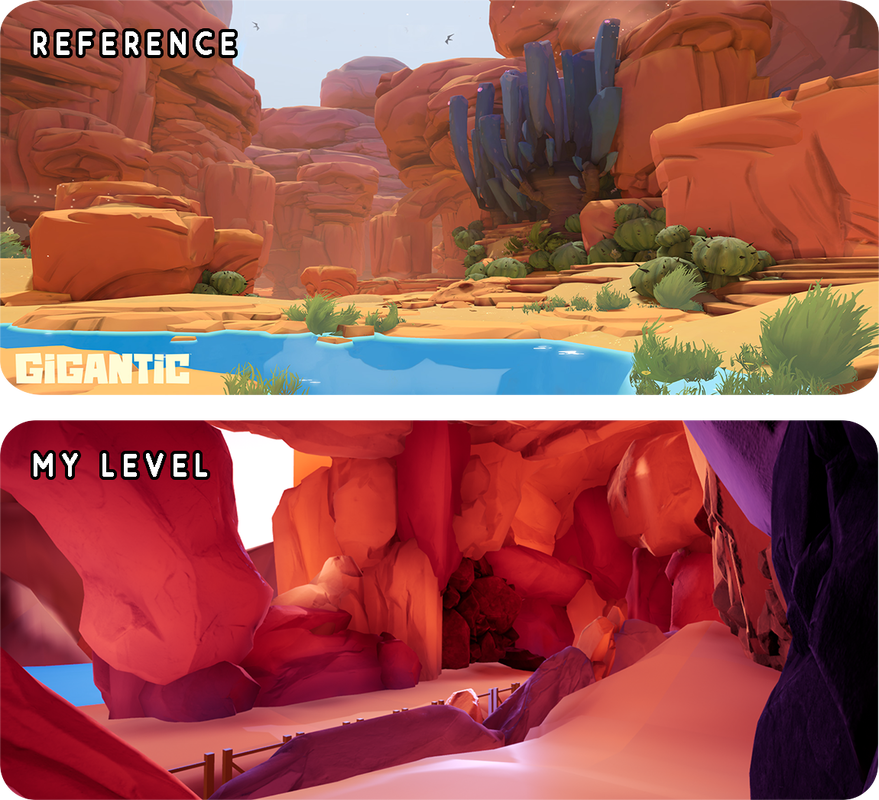 BLUEPRINTS | THE HIGHLIGHTERI implemented some blueprint logic that highlights the edges of specific mesh when the player is within a certain range. These object are special to the quest I'm making and I wanted to make some elegant conveyance to the player that they should further inspect particular objects in the world.  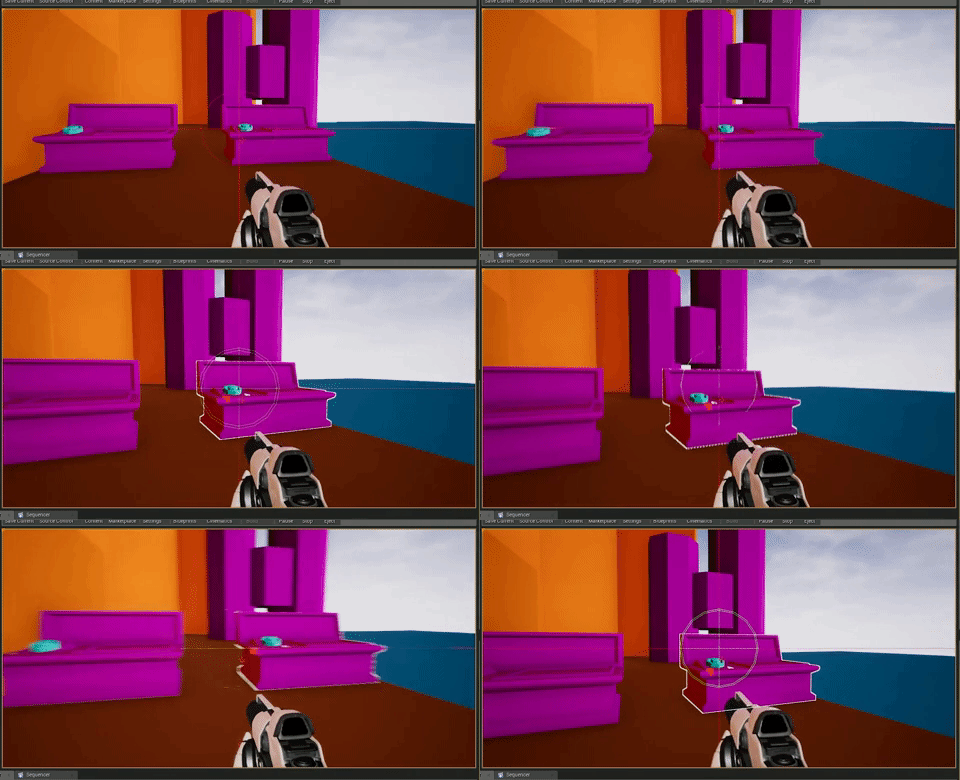 Trace Back and Function CallI began by making a unique collider name in my project settings and a blueprint actor given a tag name. Using a sphere tracer, I set the range and radius at which this will activate when the player is close to an item with the specified tag name. When activated it will process to the corresponding functions below. 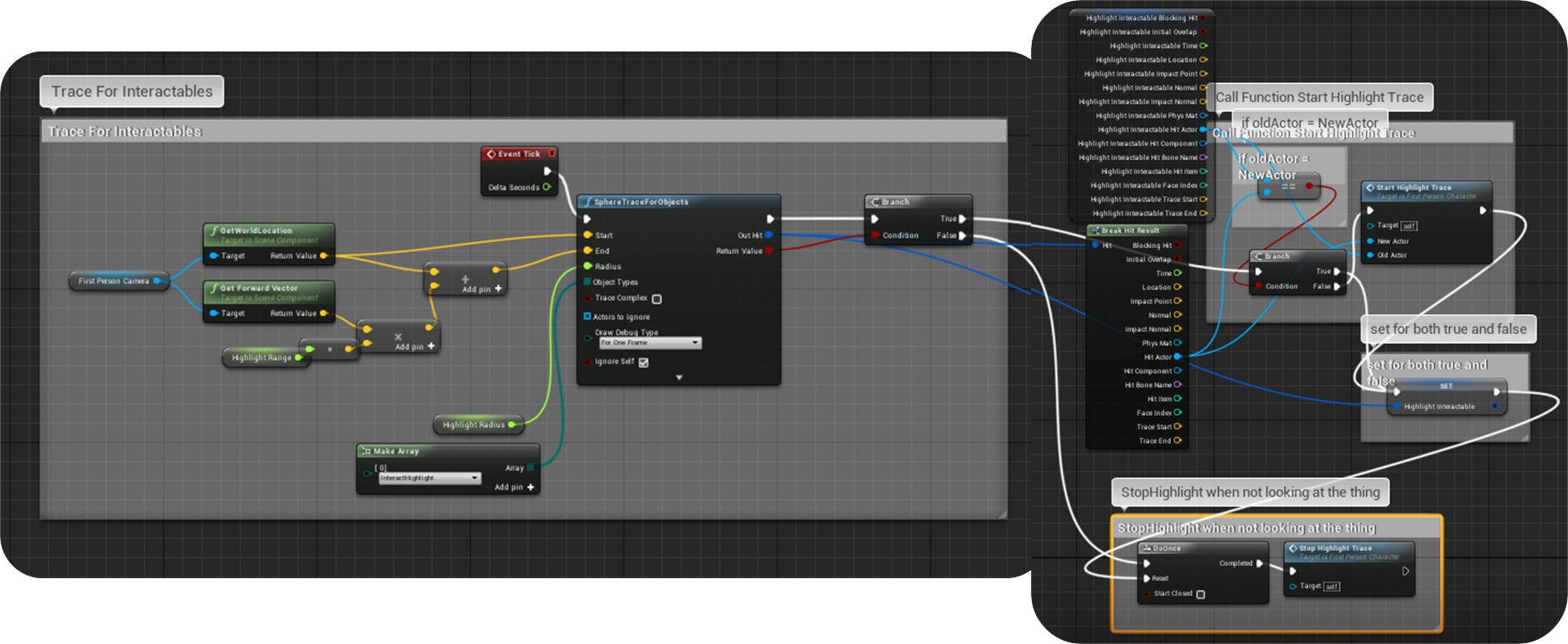 function: start HIGHLIGHT Tracewhile collision is detected: If the item is new and not already highlighted, turn on the highlight. If it's already highlighted, leave on and do nothing. 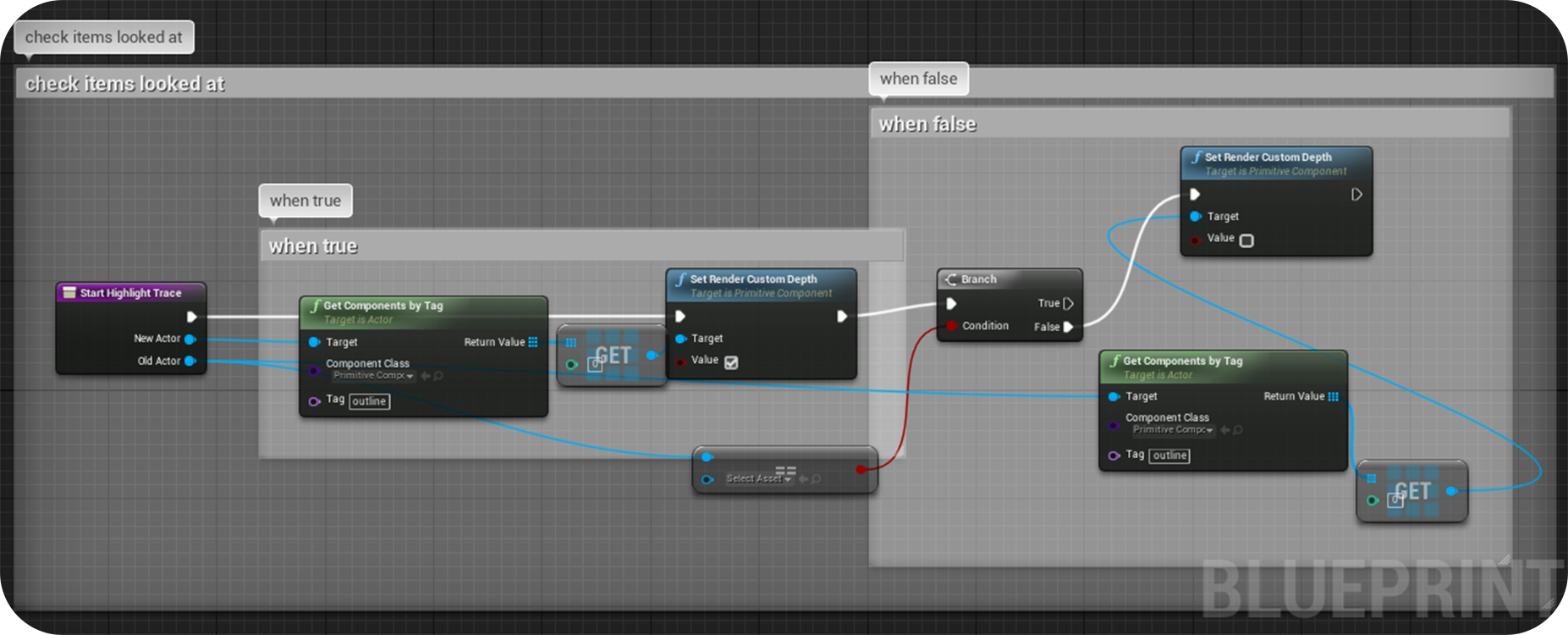 Function: Stop Highlight TraceWhen a highlighted actor is no longer colliding with the tracer, turn off the highlight on that actor, then nullify the function. 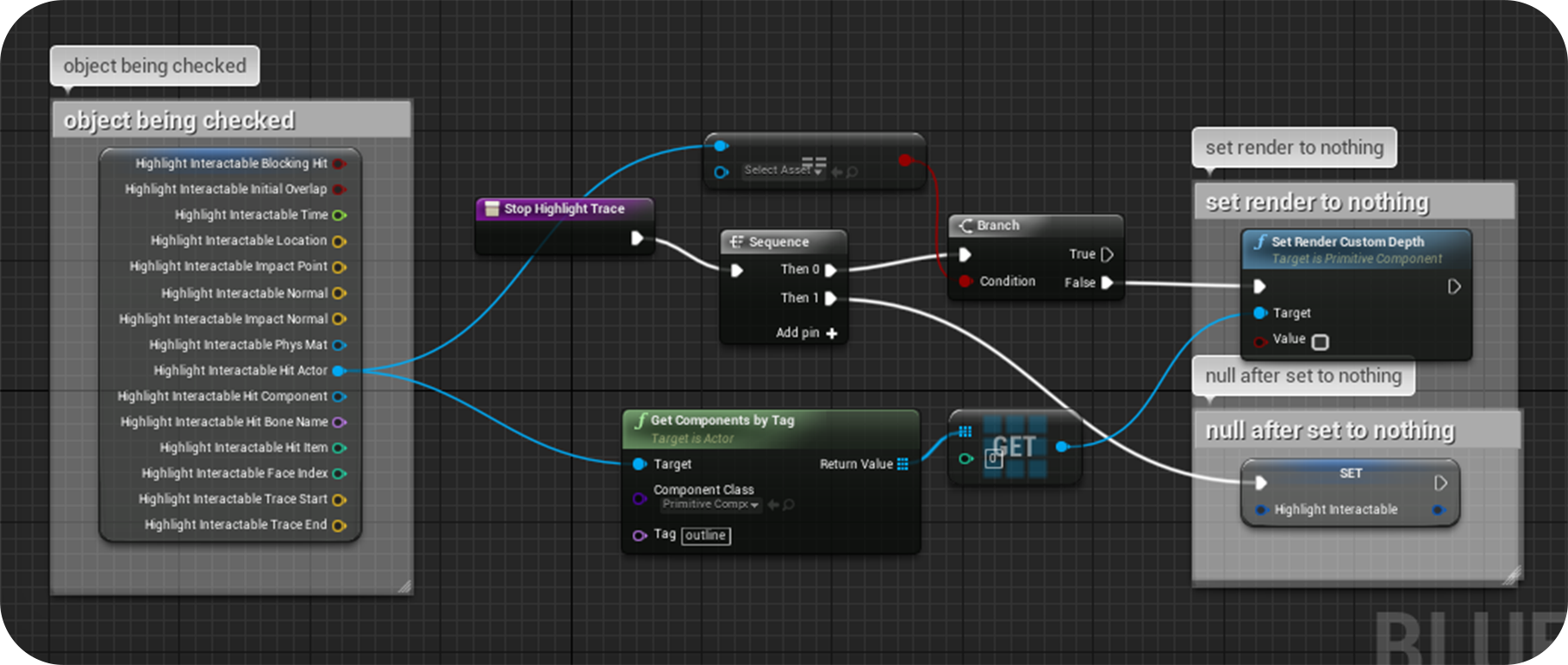
0 Comments
Leave a Reply. |

Christine Wright (aka sound)Sound Designer | Game Designer ArchivesCategories |
 RSS Feed